
A clear map view
Track stations by flight-category color at a glance.
Built for pilots
App Store
Metarapp
It brings flight categories, airport maps, and alerts into one app. Clearer reading, faster decisions.
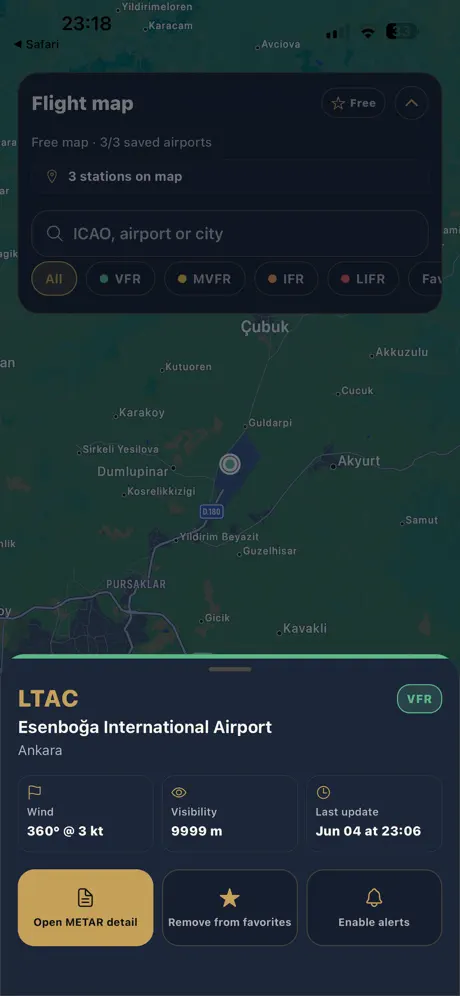
Interactive map
Track VFR, MVFR, IFR, and LIFR categories on the map.
Smart alerts
Real-time METAR notifications for your favorite airports.
Fast search
Reach conditions instantly by ICAO, airport, or city.
Sound familiar?
Codes in one place, maps in another, alerts scattered. No one sees the same picture.
For many pilots, codes live in one place, maps in another, and alerts get lost in notification noise. No one sees the same picture.
METAR codes are hard to parse
You check multiple sites
Favorite airports get missed
Search is slow and scattered
Today
With Metarapp
METAR codes are hard to parse
Flight category in plain language
You check multiple sites
Every station on one map
Favorite airports get missed
Live alerts keep you current
Search is slow and scattered
Find it instantly by ICAO
What Metarapp does
It holds the map, categories, and alerts in one flow—so checks stay fast and decisions stay clear.
Track stations by flight-category color at a glance.
Turns METAR into plain summaries so critical info surfaces first.
Shows changes at your favorite airports before you miss them.
Jump straight to the right spot by ICAO, airport, or city.
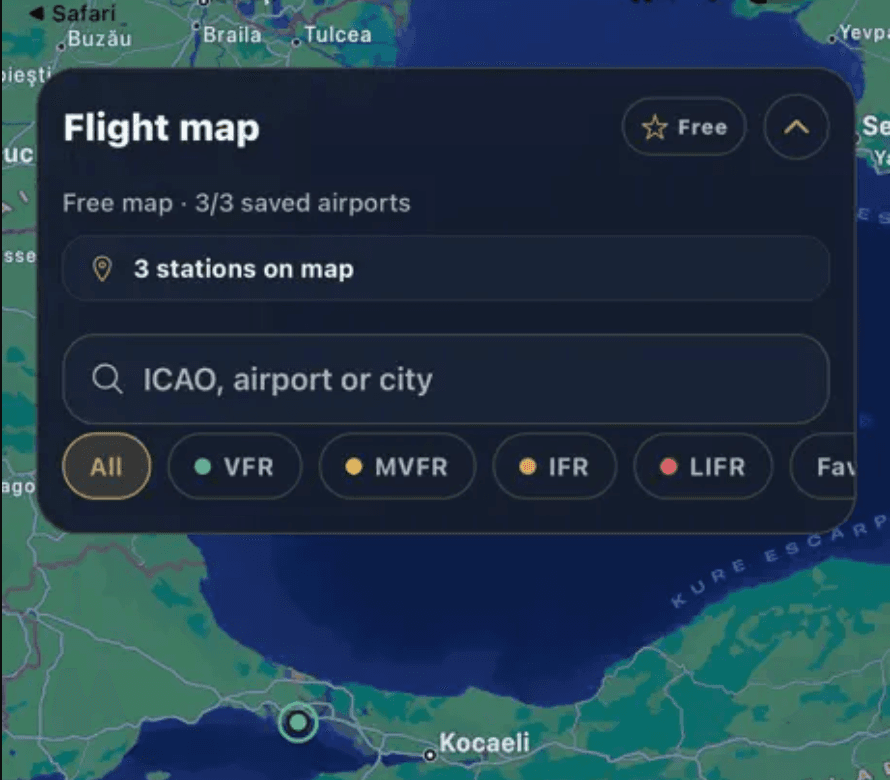
Flight-ready weather
Dense METAR codes no longer scatter. Pilots and students move in the same plain language—and decide faster.
Pilot experience
Map, category filters, and alerts—on one screen.
Map view — Follow stations by category color.
Category filters — Clear separation from VFR to LIFR.
Favorite airports — Keep your frequent spots close at hand.
METAR detail — Read codes as a clear, simple summary.
METAR — Airport detail
MetarappWho it's for
Pilots, students, and instructors see the same picture—each at their own pace.
Pilot
Reads category and change at a glance before departure—no hopping between sources.
Student
Follows what the codes mean alongside the map and summary.
Instructor
Talks conditions from the same screen as students—less ambiguity.
Operations
Frequent airports are watched with alerts, so surprises drop.
Smart alerts
Catch METAR changes at your favorite airports in time. Not noise—an alert when it matters.
Favorite airports
Pin the spots you follow most.
Category shifts
VFR–IFR moves surface first.
On-time alerts
Get a plain notification before you decide.